The Problem
Anthropic released a whiteboards feature for Claude, and in my AI group chat we were asking whether anybody had played with it yet or made any visualizations. One person said it is really good for looking at the architecture of a system: an actual program, or how your own working environment is set up. So we all decided to do quick overviews of our systems.The Approach
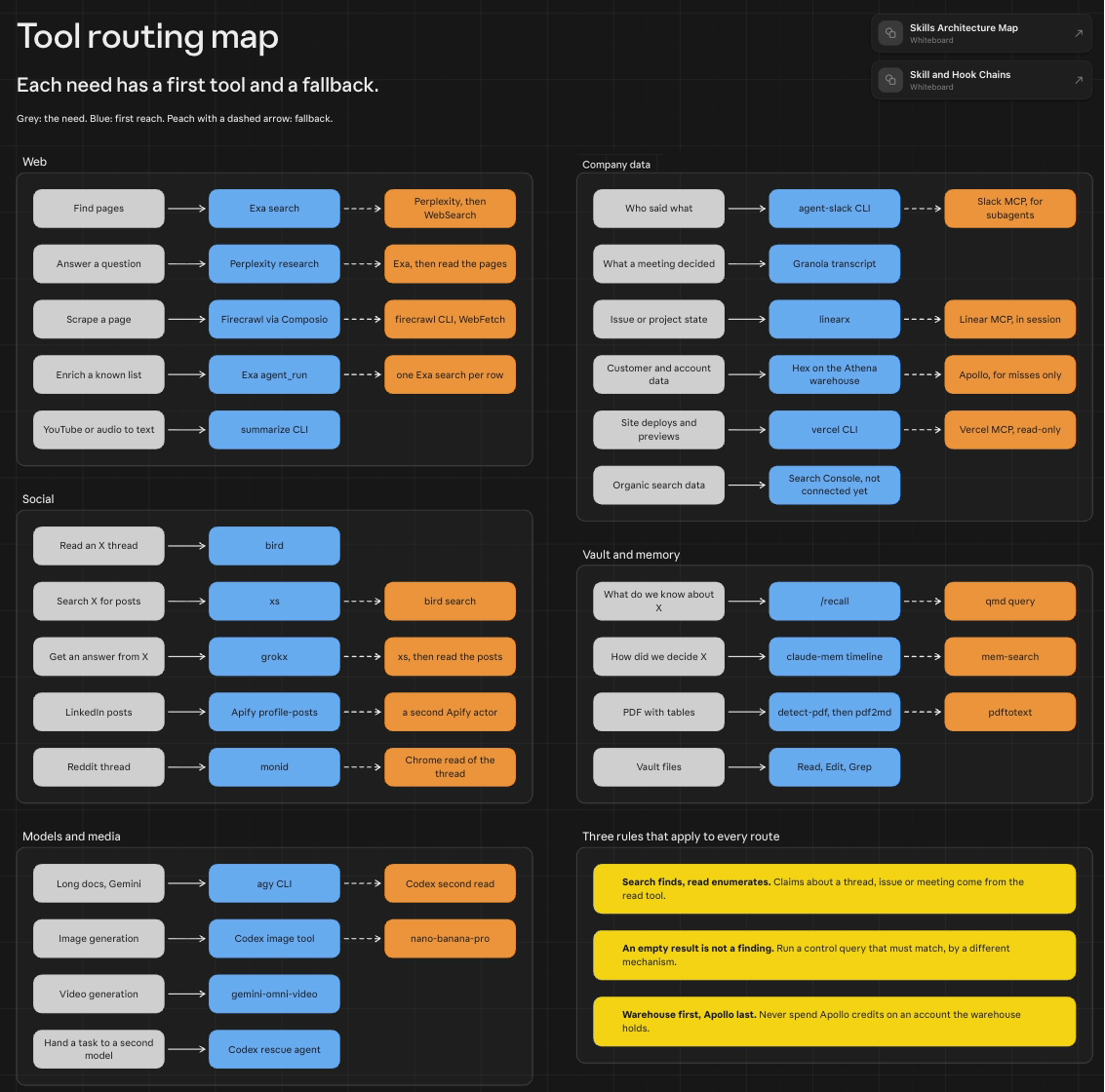
I gave Claude one line: use the whiteboard feature to map my skills architecture. It read my skills folder, my chain recipes and my written rules, and drew the first board. Then I asked for the hooks and usage counts on it, and asked Claude to look at the board itself and review it before I shared it with the group. After that I asked for more: the tool routing as a map, and the chains of skills and hooks. Claude made those as two fresh boards and linked all three together.What Happened
The first board reads left to right: the ways a skill starts, my 89 skills, which Claude sorted into eight jobs of its own choosing, what they call on, and a loop underneath for how a lesson from one session is reloaded the next time the skill runs. Claude had written it without ever rendering it. When I asked it to look, it opened the board in Chrome, took a screenshot, and found skill names like de-llmification and portfolio-narrative split mid-word across lines. It fixed those, and only then called the board ready to share.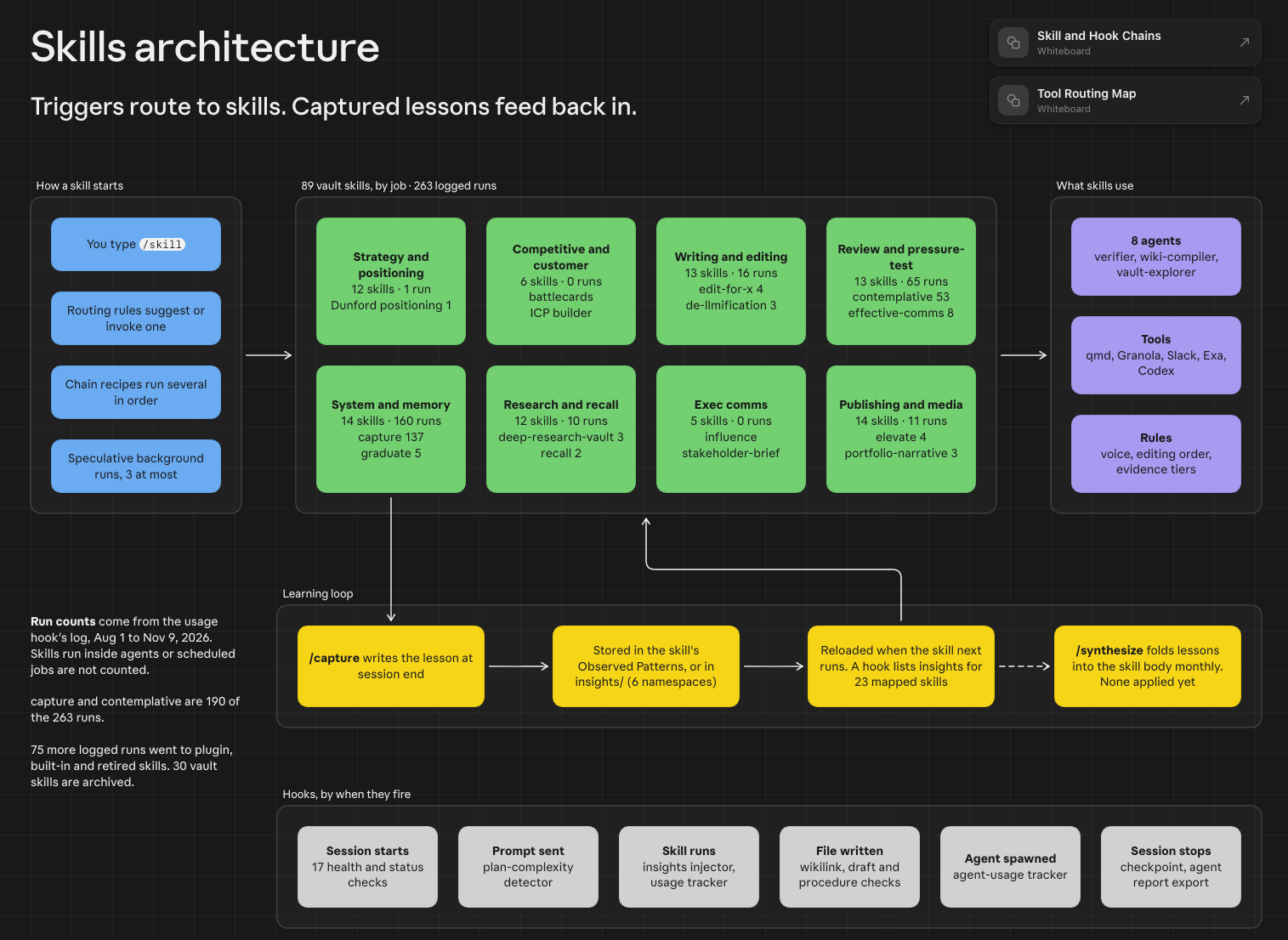
The skills architecture board. Click to expand.
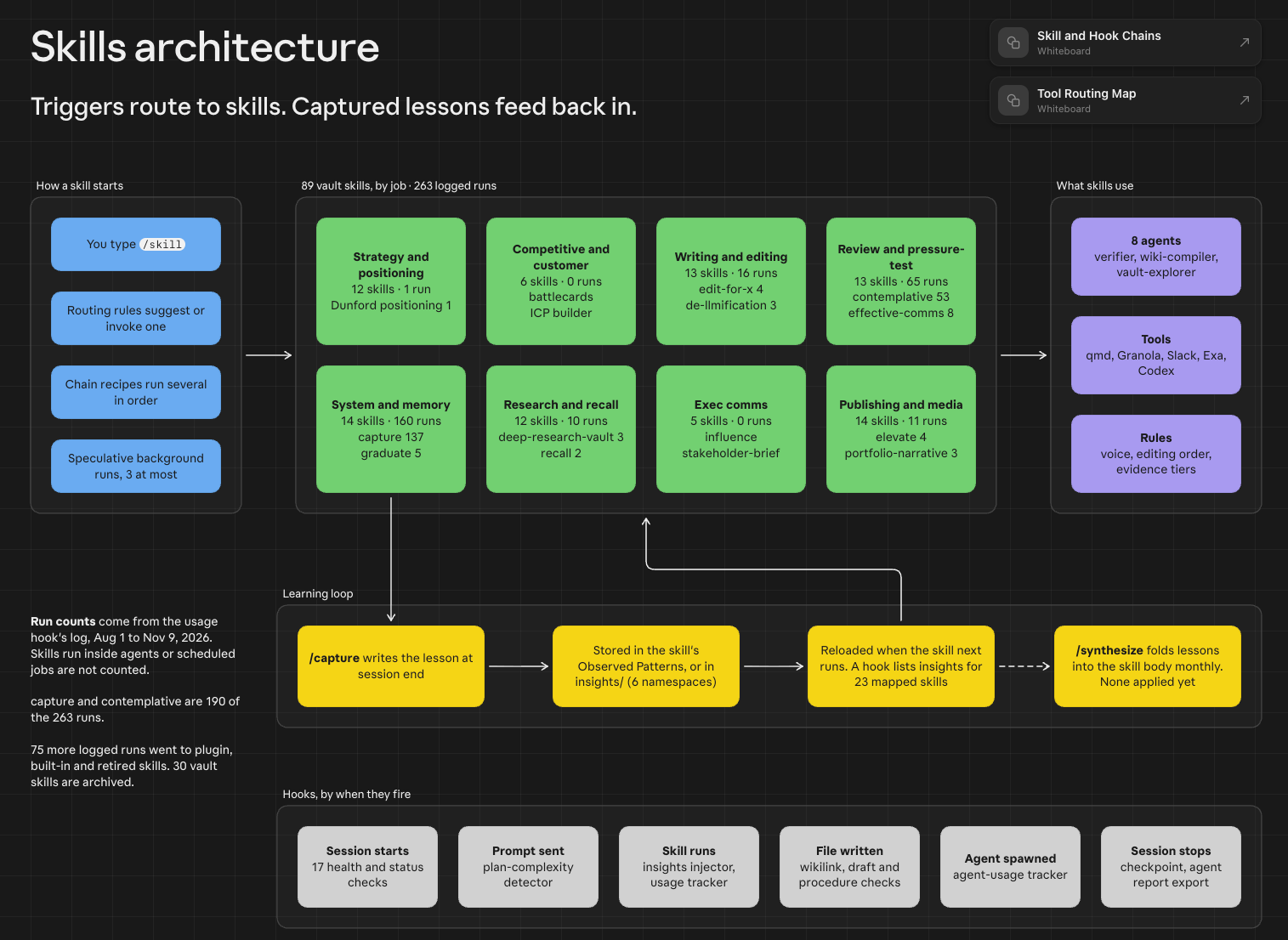
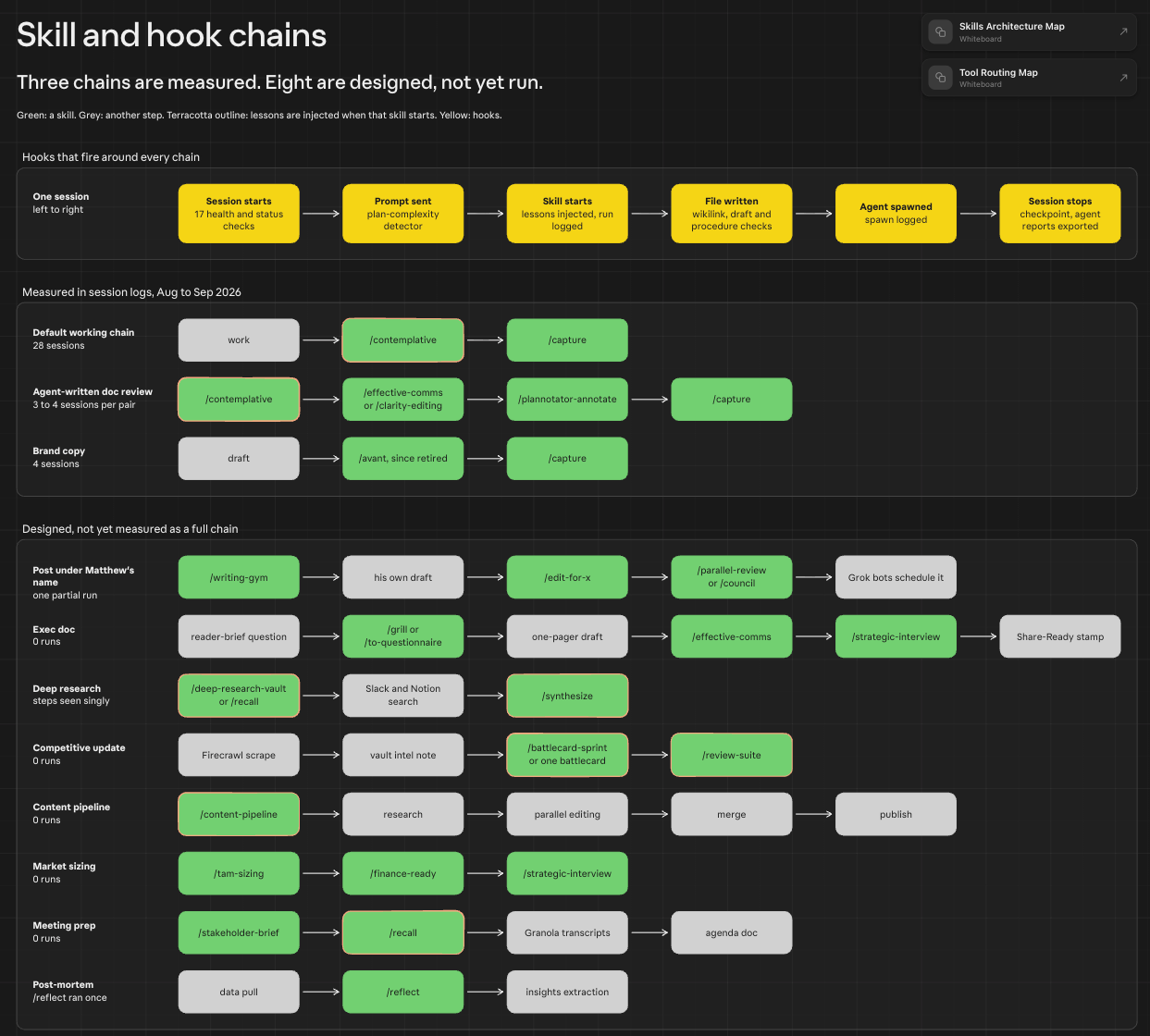
The skill and hook chains board. Click to expand.
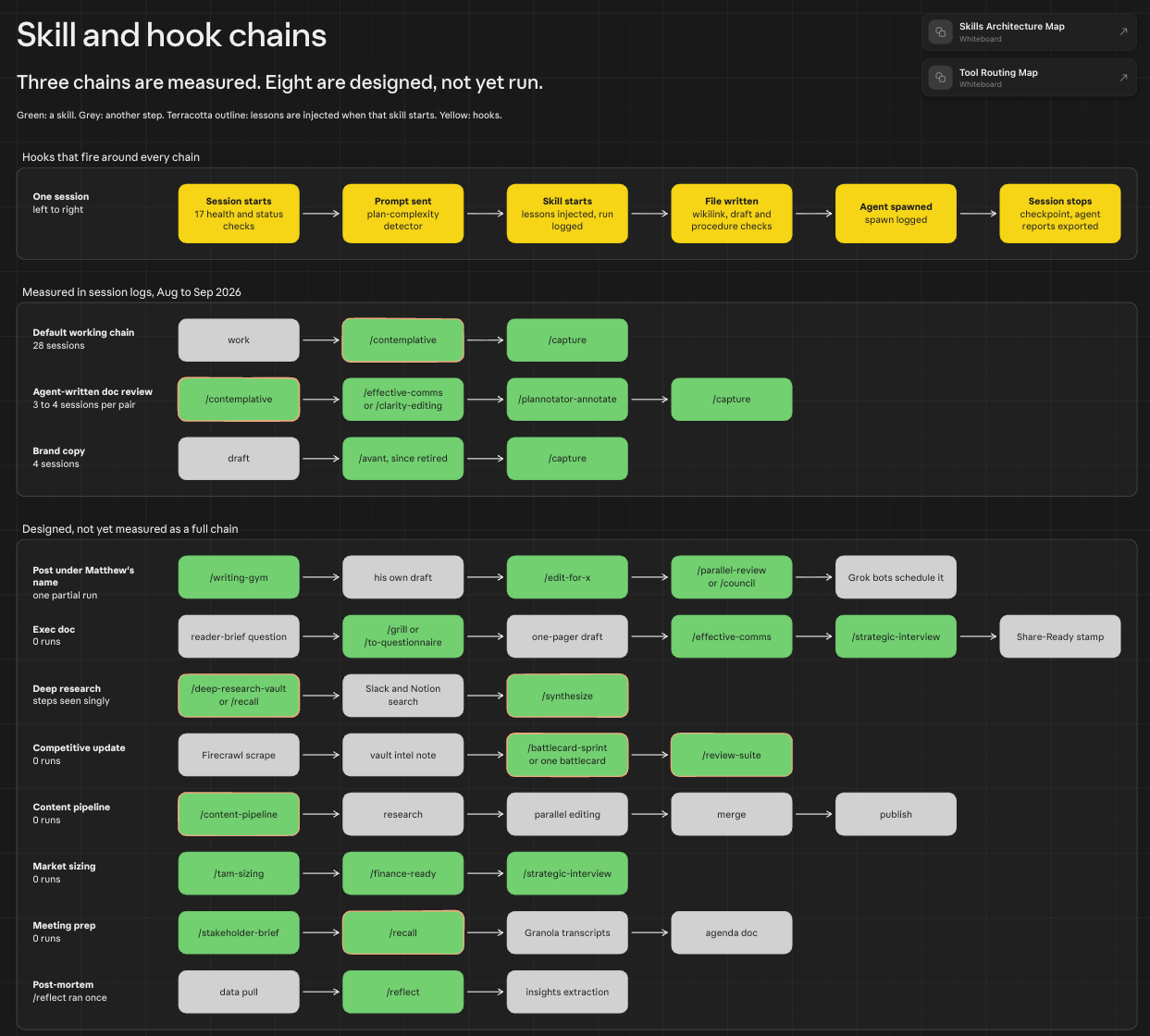
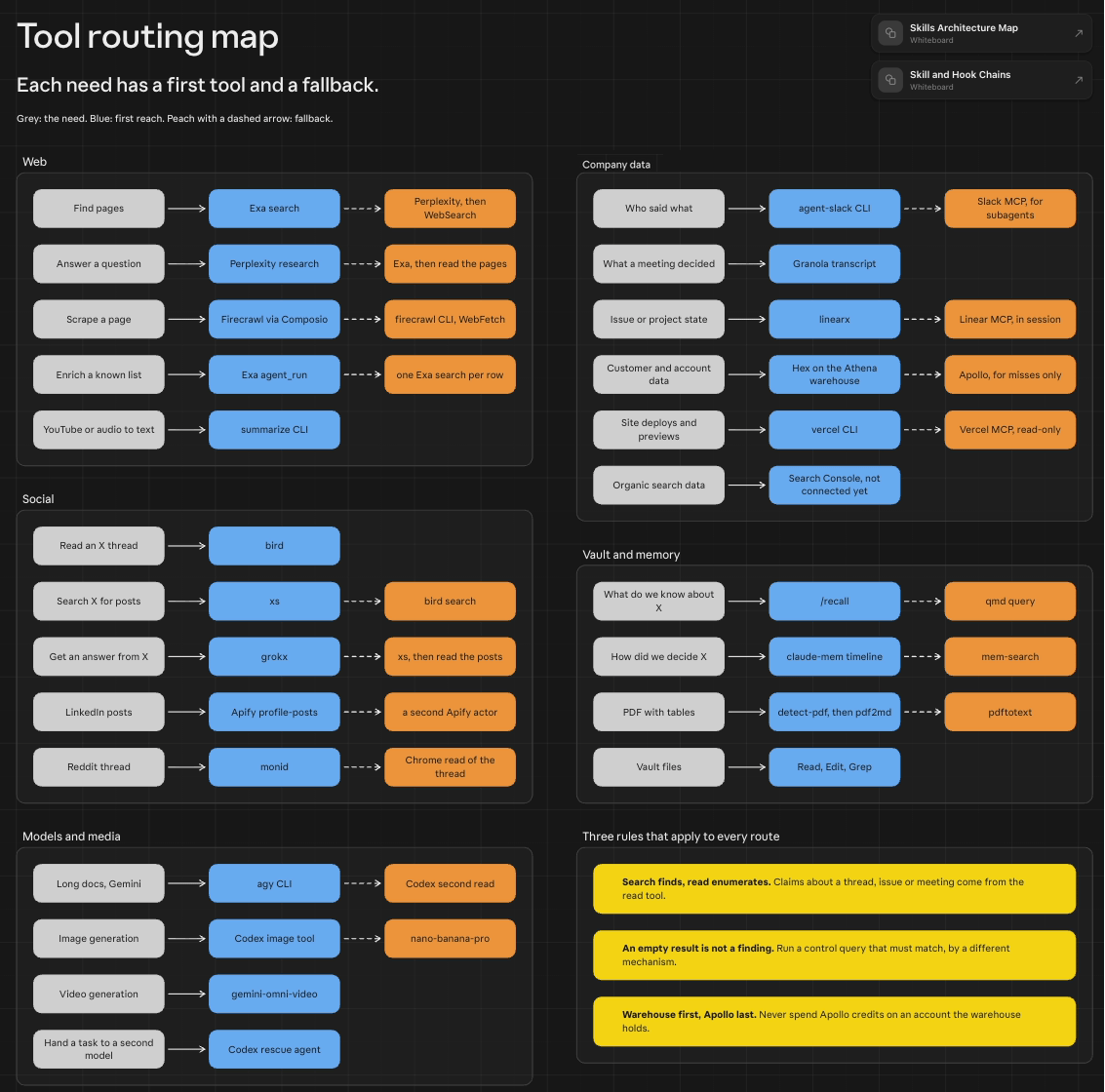
The tool routing board. Click to expand.
What I Learned
Mostly this is a demo of the whiteboard feature. The realization is that it can be useful to see how you actually use things compared to what you set up. It is even more useful when you have top-level rules built into your setup. You get used to talking about them, and you modify them over time. A visual overview every so often is a way to make sure the setup still matches the mental model you want.Drafted by my Claude from our working session. I edited and approved it.