I have spent months tuning it, mostly by pointing Claude at it and rejecting what came back. So when a better model lands, the question is what happens to everything I taught it.
Why Dispatch has no model selector
Dispatch is one continuous thread. That is the whole design, and it is why the thing feels like an assistant instead of a series of strangers. Look at the surface and you can see the problem. It is just a chat. All you can do is add files. There is no model selector. A regular chat session in the same app has one sitting right in the composer.
Dispatch. Just a composer and an attach button.
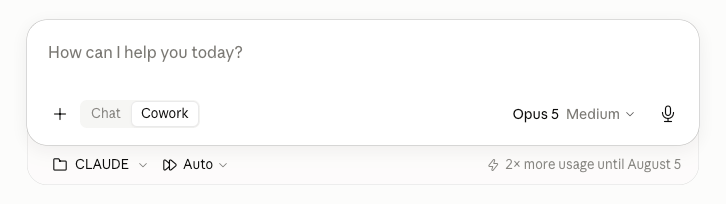
A regular chat session in the same app, same day. Model and effort, right there.
What you lose when you switch models
If your agent’s useful knowledge lives in the thread, deleting the thread destroys it. If it lives in files, deleting the thread takes nothing with it. The migration does not create this problem, it just finds out. This is really a question about config portability, and it is the same question whether your setup lives inCLAUDE.md, AGENTS.md, a memory index, or a folder of skill files. Claude built mine so that only two things are tied to a model at all: the model field on each scheduled task, and whatever the thread is running on. That was my one rule going in, that nothing load-bearing lives in the thread. Everything else sits in files, and the point of that is not tidiness. It is that if a future session reads any one of those files, it understands the broader context behind it all.
I asked Claude Code to check this before we started. Its answer:
If you are not sure which situation you are in, that is your answer, and the fix is not a migration procedure. Go put things in files first.
What each phase is for
Claude Code ran the verification from outside the app. That split matters. There are things Dispatch cannot know as it sits inside its container, and Claude Code has access to the whole computer, so the checking happens there and the clicking happens in the app. Decide. Does the new model change judgment work, or only speed? Dispatch’s value to me is judgment. I am never in a hurry with it. Preflight. Dump the registry, then hunt stale instructions, because a false note written months ago gets obeyed literally by whatever reads it next. That happened on my last migration. A note claiming the folder root would not mount had gone stale, the fresh thread believed it, and it spent its first hours scoping a teardown of a system that was not broken. Check the mechanics. The app UI moves faster than any document about the app UI, including this one. Migrate the tasks. The non-obvious move is Run now. It is the only way to find out whether your stored approvals survived, and you want to approve prompts while you are sitting there, not have the 4:50am run die on a dialog while you are asleep. Restart the thread. The part that feels like the risk, and everything above is about why it is not. Gate it. Its own section below, because it is the step doing the work. Then leave it alone and watch. It monitors itself for a few days. You are watching whether the judgment got worse, which no config check can tell you.Migrating to Opus 5, step by step
Steps 1 through 9 are recoverable from the dump made in step 1. Steps 10 and 11 are not. Before you open the app. The skill does all of this for you. Claude Code reads the desktop app’s own files, so you never touch a config directory or work out what any of it is called.- Dump your scheduled-task registry to a file. That is your rollback.
- Search your skill and spec files for hardcoded model names. Fix them now.
- Sweep your instructions for stale claims. Delete what is wrong, do not write a rule against it.
- Have the outgoing thread write a closing handoff. Check every line against disk.
- Check for stranded remote sessions. Your agent cannot see them.
- Open a throwaway chat session on the new model. Confirm it is available.
- Open Scheduled tasks.
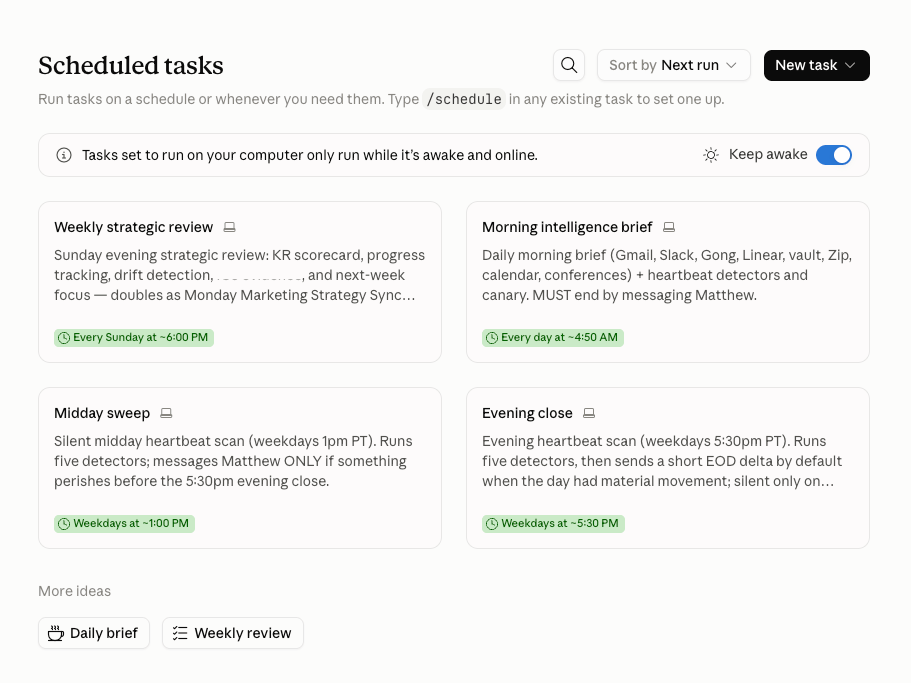
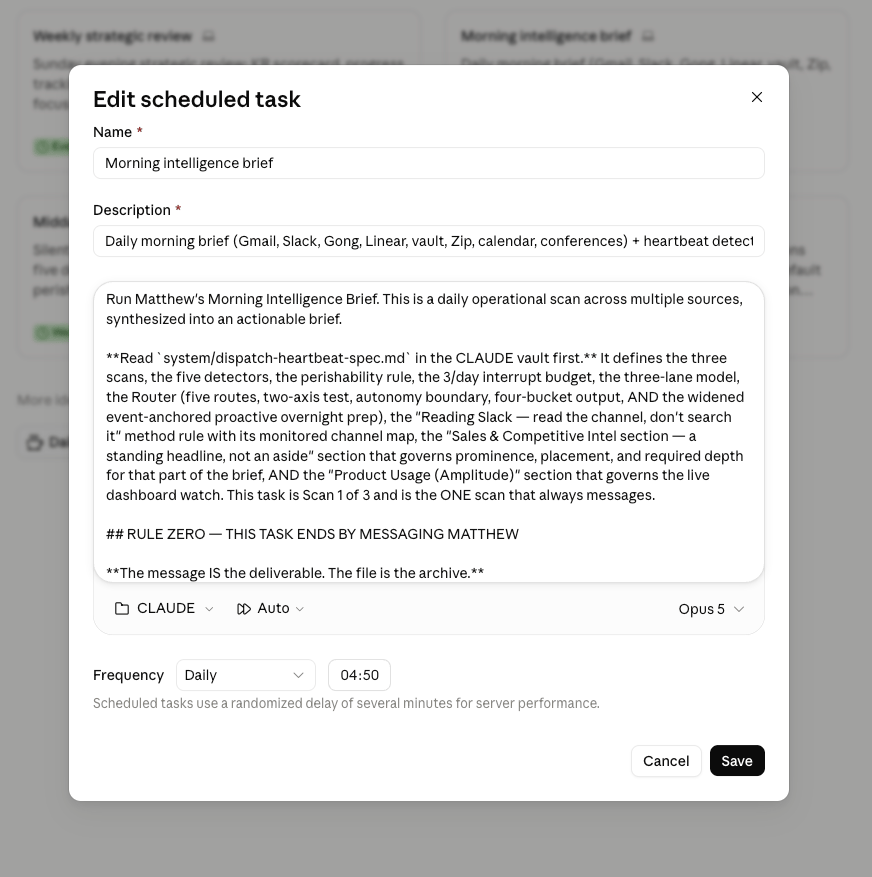
- Each task: Edit, set the model, confirm the folder is still checked, Save.
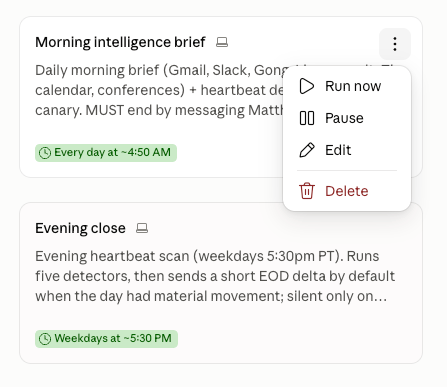
- Each task: Run now. Approve any prompt. Confirm the output file was written.
- Clear background tasks.
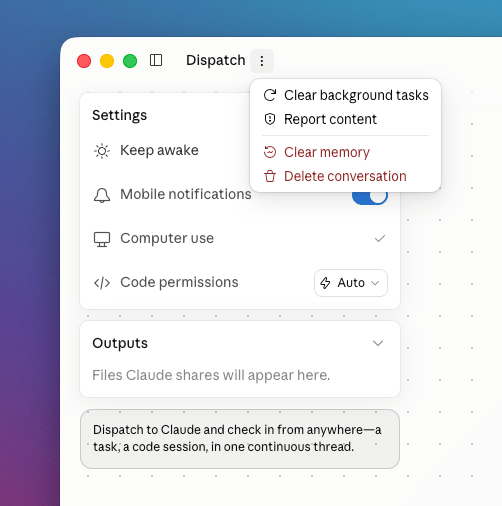
- Delete conversation. Leave “Clear memory” alone.
- Start the fresh thread. Mount your folder.
- Paste your orientation prompt.
- Run the gate.
- Confirm the model in the app’s session metadata, not by asking the thread.
- Check
notifySessionId. If it points at the dead thread, re-save each task. - Watch it for three days.
- Write down what surprised you.
Where the migration actually goes wrong
Three places that tripped me up. Step 12. The Dispatch side refused to connect the folder I wanted and made me mount subfolders instead, while the scheduled tasks mount that same folder without complaint. Passing step 6 does not predict this. Different surface, different rules. Step 11. “Clear memory” sits in the same menu and looks like part of the same operation. Your continuity should be living in files anyway. If losing that store would matter to you, that is the real finding, and you are not ready to migrate. What came back after I clicked Delete conversation was the onboarding card. “Hey, glad you’re here. Tell me what’s on your plate, no ask is too big or small.” Then four suggestions: find a confirmation in my Downloads, open a GitHub project and run the tests, scan Slack for a bug report, search my repos for an error message. Timestamped 5:02 PM. The thing that had been reading my calendar every morning since July was offering to look in my Downloads folder.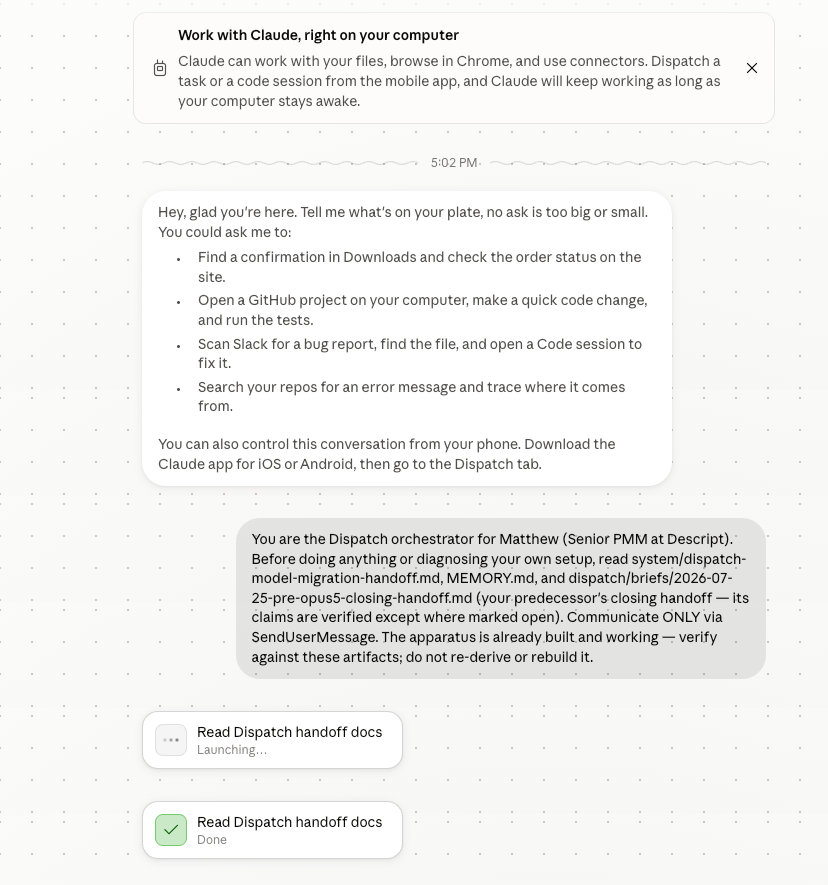
The fresh thread at 5:02 PM, and the orientation prompt going in.
How to verify the new thread is really your agent
The first time I did this there was no gate, which is most of why it went badly. The gate asks the fresh thread to prove it is the same agent, and that it will tell you when it does not know something. Four questions plus one:
It was not making that up. It was reading our own handoff file, which had been written before the tasks were actually migrated, so the file said the old model and the thread believed it. I fixed the file and left the thread alone.
Question five I did not design as a trap. I asked it expecting an answer. There is no answer, because no such sentence exists on this surface, and what came back was:
There’s no such sentence. Nothing in my system prompt begins “You are powered by”. I’m not going to produce a quote to satisfy the shape of the question.A question I got wrong is now one I ask on purpose. Keep one unanswerable question in every gate you write. A knowledge question tells you what a thread has read. A refusal question tells you what it does under pressure, which is what matters before you hand it your calendar. The one thing I still do not know is whether I am going to hit that permissions issue again, where it decides one of the main folders is not mounted. Everything it needs should be reachable from the folder root, which is what all my Cowork sessions start on. But on the last migration it mounted itself to a subfolder, and I had to individually add other folders at the same level, when what I wanted was to inherit everything from the root going down.
Correcting the agent so the fix survives
Halfway through, I stopped to correct Claude about something. It had merged the two composer surfaces into one claim, and the distinction matters, because the whole restart policy rides on it. I talked at my laptop for about thirty seconds.
That correction is now a line in the procedure file:
Two different composer surfaces, do not conflate: regular chat sessions have an in-thread model and effort selector. The Dispatch surface has none. Thread restart is mechanically the only model lever.Thirty seconds of talking on a Saturday, and it will still be enforcing itself the next time I do this. That is the whole difference between patching a conversation and changing a file. Only one of them survives the next restart.
Why the slow version pays for itself
The procedure is built from us learning the limits of what Dispatch can do and see, compared to what Claude Code can do, and every run adds to it.
If you finish one of these and the file you were following is unchanged, you did the work and threw the asset away.
Take the migration skill
Here is the whole thing, sanitized: a skill file with the phases, the orientation prompt, and the gate. Claude wrote it, I ran it. You will need to fill in your own task names and your own state file. The gate questions only work if the answers exist somewhere your agent can read.agent-model-migration
The runnable skill on GitHub. Generalized from my own procedure, with my task names, file paths and operating rules stripped out. MIT-licensed.
Update, September 2026. I did this migration again, to Fable 5.1, and found out that step 16 above was wrong: the session metadata I told you to trust was not what the agent was running on. The thread survived this time. My agent was never on the model I thought it was.
Drafted by my Claude from our working session. I edited and approved it.